spec-kitty
How to Use the Spec Kitty Dashboard
The dashboard provides live, project-wide visibility into work packages, lanes, and agent activity. It launches during spec-kitty init and can be opened anytime.
Starting the Dashboard
spec-kitty dashboard
# or
/spec-kitty.dashboard
If the dashboard isn’t already running, Spec Kitty starts it in the background and opens a browser tab.
Dashboard URL
Spec Kitty records the active dashboard URL in .kittify/.dashboard. If the browser doesn’t open automatically, copy the URL from that file.
Dashboard Views
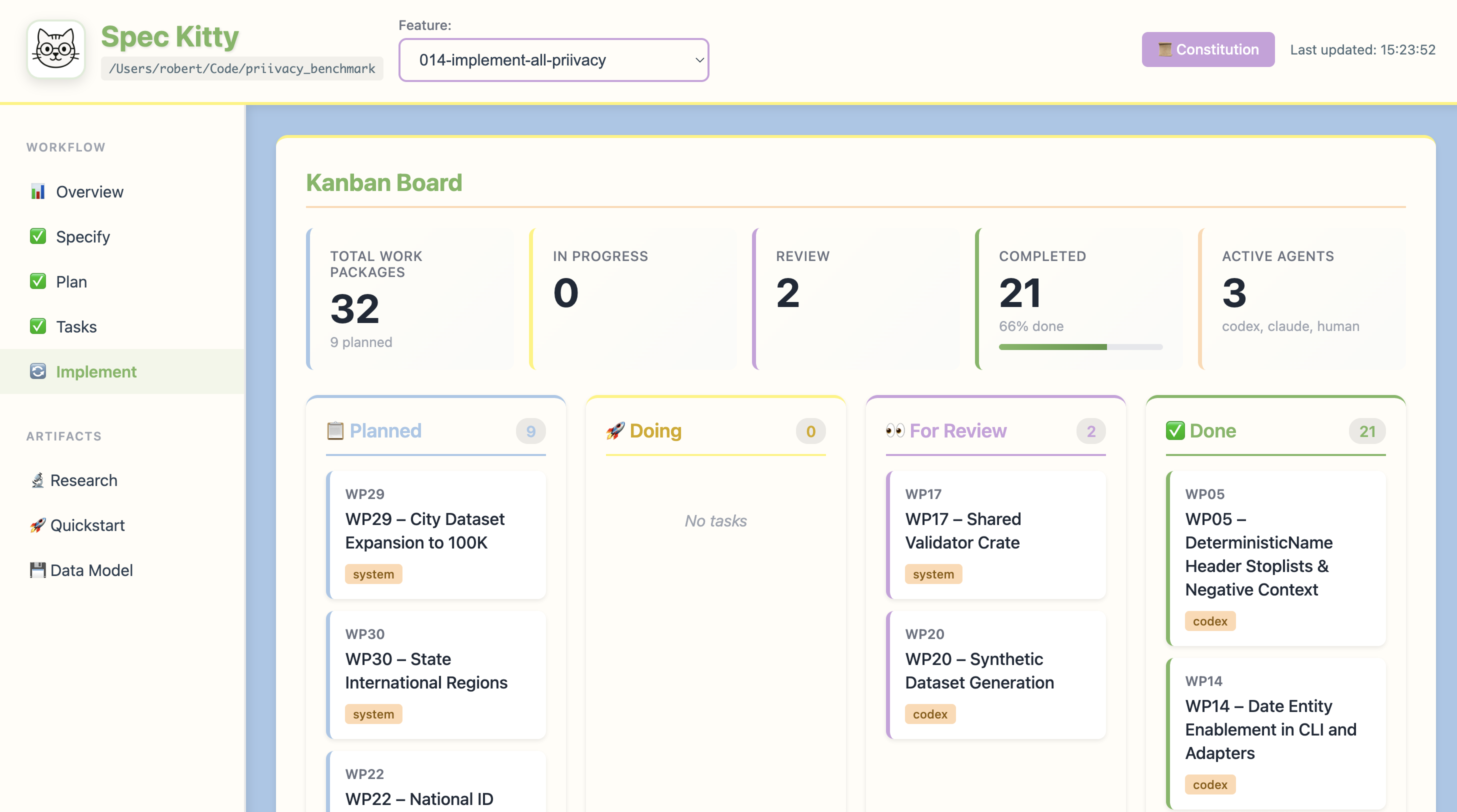
Kanban Board
The kanban board mirrors the lane workflow (planned -> doing -> for_review -> done).
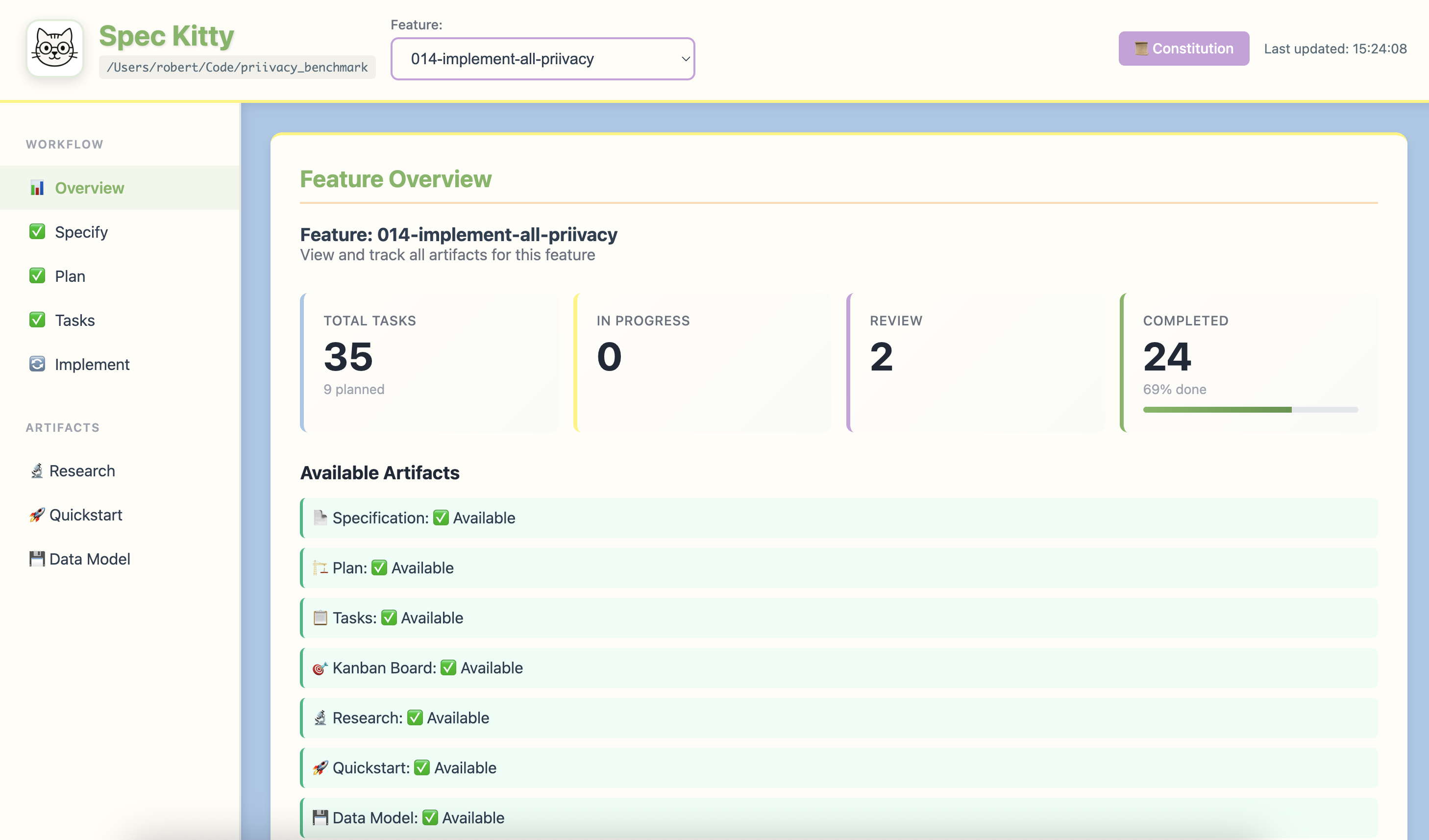
Feature Overview
The overview summarizes feature progress, artifacts, and worktrees.
Custom Port
If you need a specific port, pass --port:
spec-kitty dashboard --port 8080
If the port is taken, Spec Kitty finds the next available port.
Stopping the Dashboard
spec-kitty dashboard --kill
This stops the background process and clears the .kittify/.dashboard metadata.
Dashboard Auto-Start
spec-kitty init starts the dashboard automatically for each project. You can re-run spec-kitty init . if the dashboard metadata is missing or stale.
Command Reference
- CLI Commands - Dashboard commands
- Slash Commands -
/spec-kitty.dashboard
See Also
- Parallel Development - Monitor multi-agent work
- Review a Work Package - Track review status
Background
- Kanban Workflow - Lane system explained
- Multi-Agent Orchestration - Agent coordination
Getting Started
- Your First Feature - See dashboard in action
- Claude Code Integration - Dashboard with Claude